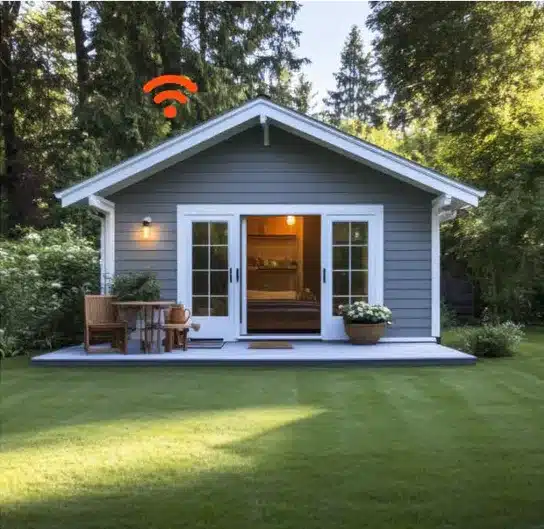
It’s one of the most common frustrations in homes across Carlow, Kilkenny and the wider Southeast. You upgrade your broadband package expecting perfect Wi-Fi everywhere, but one room in the house still struggles to load Instagram while another barely holds a Zoom call.
The good news is that the problem is often not your broadband speed.
It’s your Wi-Fi coverage.
A lot of people think broadband speed and Wi-Fi coverage are the same thing, but they are actually two completely different parts of your internet setup. Understanding the difference can make a huge difference to how your internet performs day to day.
Why Speed and Coverage Are Not the Same Thing
When you run a Speed test by Ookla or any internet speed test, the result usually measures the speed reaching your router.
But that does not necessarily mean every room in your house receives that same speed.
Think of your router like a speaker playing music. The closer you are to it, the clearer and stronger the sound is. The further away you move, the weaker it becomes especially if there are walls, floors or furniture blocking it.
Wi-Fi works the same way.
You could have excellent fibre broadband coming into your home and still experience:
That’s why people often say:
“My broadband is great downstairs but terrible upstairs.”
In reality, the broadband itself is usually fine. It’s the Wi-Fi signal struggling to reach certain areas of the house.
What Causes Wi-Fi Dead Zones?
Every home has different Wi-Fi challenges.
Some houses naturally block wireless signals more than others, especially:
A few of the biggest causes of Wi-Fi dead zones include:
The more obstacles between your device and the router, the weaker the connection becomes.
Distance from the Router
Wi-Fi signals lose strength over distance.
If your router is placed in one corner of the house, rooms on the opposite side may struggle even if your broadband speed is excellent.
This is especially common in:
Too many Connected Devices
Modern homes place far more pressure on Wi-Fi than they did even five years ago.
Today, your network may be supporting:
The more devices connected, the harder your router has to work.
What does a Wi-Fi Mesh System Actually Do?
This is where Wi-Fi mesh systems come in.
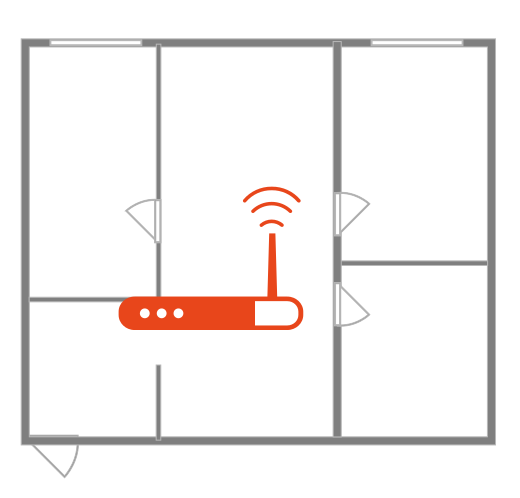
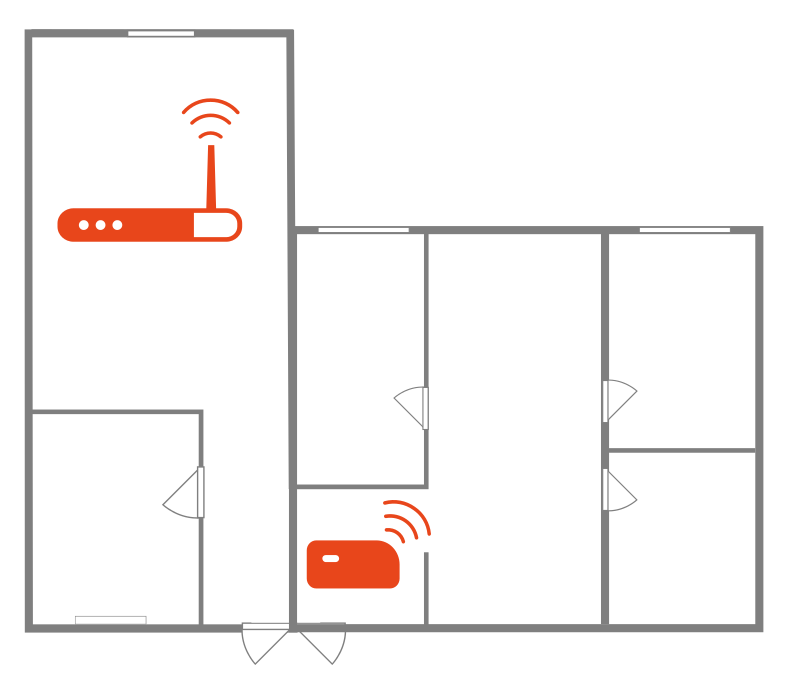
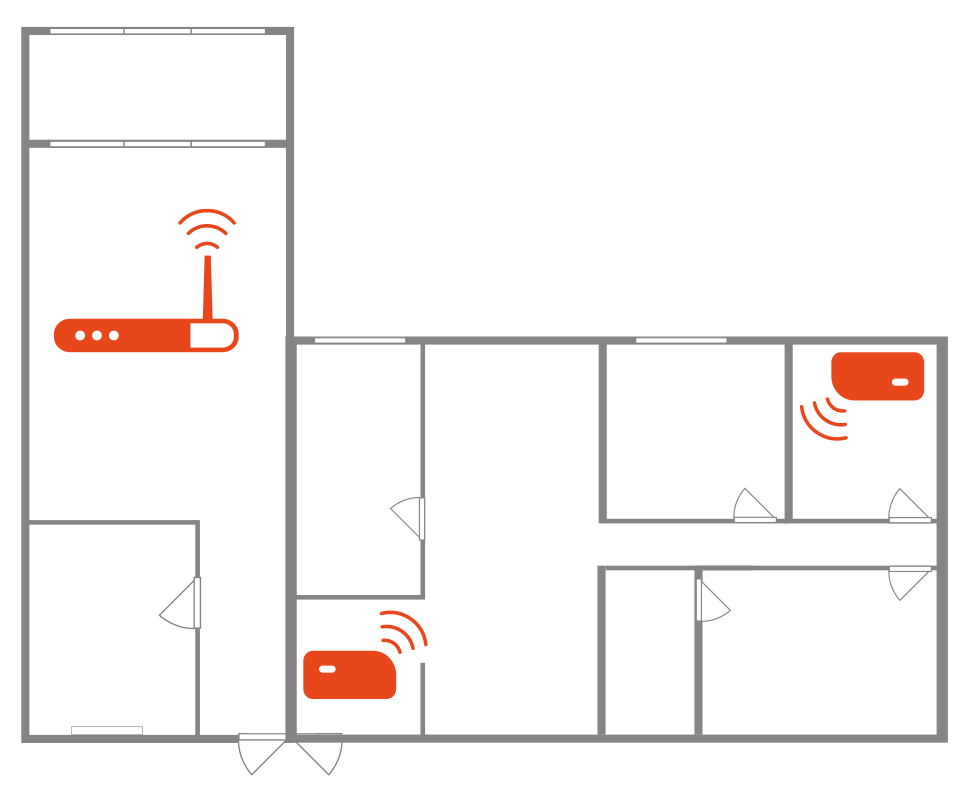
A wireless Mesh Network system uses multiple devices – often called nodes or boosters – placed around your home to spread Wi-Fi coverage more evenly.
Instead of relying on one router to cover the entire house, mesh systems create multiple access points that work together as one network.
That means:
Unlike older Wi-Fi extenders, modern mesh systems are designed to let your devices move around the house seamlessly without constantly dropping signal.
For example, if you walk from the kitchen to the bedroom during a video call, your phone automatically connects to the strongest mesh node without interruption.
Is a Mesh System Better Than a Wi-Fi Extender?
Traditionally Wi-Fi extenders often create a second network and can reduce speed significantly.
Mesh systems work differently.
They are designed to:
That’s why many homes are now moving toward mesh Wi-Fi instead of basic extenders.
For larger homes or homes with difficult layouts, a Wi-Fi mesh setup is often the difference between “Internet that technically works” and internet that actually feels reliable everywhere.
How many Mesh nodes do you need?
This depends on:
As a general guide:
One Node
Usually suits:
Two Nodes
Usually suits:
Three or more Nodes
Usually suits:
More nodes are not always better though. Placement matters just as much as quantity.
A poorly placed booster can still struggle to improve coverage properly.
Where should Mesh nodes be placed?
One of the biggest mistakes people make is placing boosters directly inside the dead zone.
A mesh node still needs a strong signal from the main router to work properly.
The best placement is usually:
Even moving a router slightly higher or more centrally can improve coverage dramatically.
When Broadband Isn’t actually the problem
A lot of household’s upgrade to faster fibre packages expecting Wi-Fi issues to disappear automatically.
But if the coverage setup inside the house is weak, even extremely fast broadband can still feel unreliable.
That’s why a Wi-Fi speed test or internet speed test should always be done in multiple rooms – not just beside the router.
If speeds are strong beside the router but weak elsewhere, the issue is usually coverage rather than broadband speed itself.
Local Support Makes a Difference
Every house is different, especially across rural Carlow, Kilkenny and the wider South East where home layouts vary massively.
Some homes need a simple booster. Others benefit from a full Wi-Fi mesh setup depending on size, wall structure and internet usage.
After 20 years working with homes and businesses across the region, Aptus has seen first-hand how often poor Wi-Fi coverage – not poor broadband – is the real cause of customer frustration.
Final thoughts
If your internet works perfectly in one room but struggles in another, there’s a good chance your broadband is not actually the problem.
Dead spots are usually caused by Wi-Fi coverage limitations inside the house, not the fibre connection itself.
That’s where solutions like Wi-Fi mesh systems and properly placed boosters can make a huge difference.
Because fast broadband only matters if the signal can actually reach the places you use it most.
FAQ
What is a Mesh Wi-Fi system?
A wireless Mesh network system uses multiple Wi-Fi nodes around your home to improve wireless coverage and reduce dead spots.
Will a Mesh system work with my current router?
In most cases, yes. Many Mesh systems are designed to work alongside existing broadband routers.
How many Mesh nodes do I need?
That depends on your house size, layout and wall structure. Smaller homes may only need one node, while larger homes require two or three.
Is Mesh worth it or should I just get a Wi-Fi extender?
For larger homes or homes with multiple dead spots, mesh systems usually provide a smoother and more reliable experience than traditional Wi-Fi extenders.

Contact us to today to get your home fully connected.
Check your coverage on our website and discover the Aptus difference.
Navigation
Customer Information
Navigation
Customer Information
| Cookie | Duration | Description |
|---|---|---|
| cookielawinfo-checkbox-advertisement | 1 year | Set by the GDPR Cookie Consent plugin, this cookie is used to record the user consent for the cookies in the "Advertisement" category . |
| cookielawinfo-checkbox-analytics | 11 months | This cookie is set by GDPR Cookie Consent plugin. The cookie is used to store the user consent for the cookies in the category "Analytics". |
| cookielawinfo-checkbox-functional | 11 months | The cookie is set by GDPR cookie consent to record the user consent for the cookies in the category "Functional". |
| cookielawinfo-checkbox-necessary | 11 months | This cookie is set by GDPR Cookie Consent plugin. The cookies is used to store the user consent for the cookies in the category "Necessary". |
| cookielawinfo-checkbox-others | 11 months | This cookie is set by GDPR Cookie Consent plugin. The cookie is used to store the user consent for the cookies in the category "Other. |
| cookielawinfo-checkbox-performance | 11 months | This cookie is set by GDPR Cookie Consent plugin. The cookie is used to store the user consent for the cookies in the category "Performance". |
| CookieLawInfoConsent | 1 year | Records the default button state of the corresponding category & the status of CCPA. It works only in coordination with the primary cookie. |
| elementor | never | This cookie is used by the website's WordPress theme. It allows the website owner to implement or change the website's content in real-time. |
| viewed_cookie_policy | 11 months | The cookie is set by the GDPR Cookie Consent plugin and is used to store whether or not user has consented to the use of cookies. It does not store any personal data. |
| Cookie | Duration | Description |
|---|---|---|
| _ga | 2 years | The _ga cookie, installed by Google Analytics, calculates visitor, session and campaign data and also keeps track of site usage for the site's analytics report. The cookie stores information anonymously and assigns a randomly generated number to recognize unique visitors. |
| _ga_XSZTVZW3QY | 2 years | This cookie is installed by Google Analytics. |
| _gat_UA-133650638-1 | 1 minute | A variation of the _gat cookie set by Google Analytics and Google Tag Manager to allow website owners to track visitor behaviour and measure site performance. The pattern element in the name contains the unique identity number of the account or website it relates to. |
| _gcl_au | 3 months | Provided by Google Tag Manager to experiment advertisement efficiency of websites using their services. |
| _gid | 1 day | Installed by Google Analytics, _gid cookie stores information on how visitors use a website, while also creating an analytics report of the website's performance. Some of the data that are collected include the number of visitors, their source, and the pages they visit anonymously. |
| CONSENT | 2 years | YouTube sets this cookie via embedded youtube-videos and registers anonymous statistical data. |
| last_pys_landing_page | 7 days | PixelYourSite plugin sets this cookie to manage the analytical services. |
| last_pysTrafficSource | 7 days | PixelYourSite plugin sets this cookie to manage the analytical services. |
| pys_first_visit | 7 days | PixelYourSite plugin sets this cookie to manage the analytical services. |
| pys_landing_page | 7 days | PixelYourSite plugin sets this cookie to manage analytic services. |
| pys_session_limit | 1 hour | PixelYourSite plugin sets this cookie to manage the analytical services. |
| pys_start_session | session | PixelYourSite plugin sets this cookie to manage the analytical services. |
| pysTrafficSource | 7 days | PixelYourSite plugin sets this cookie to manage the analytical services. |
| Cookie | Duration | Description |
|---|---|---|
| _fbp | 3 months | This cookie is set by Facebook to display advertisements when either on Facebook or on a digital platform powered by Facebook advertising, after visiting the website. |
| test_cookie | 15 minutes | The test_cookie is set by doubleclick.net and is used to determine if the user's browser supports cookies. |
| VISITOR_INFO1_LIVE | 5 months 27 days | A cookie set by YouTube to measure bandwidth that determines whether the user gets the new or old player interface. |
| YSC | session | YSC cookie is set by Youtube and is used to track the views of embedded videos on Youtube pages. |
| yt-remote-connected-devices | never | YouTube sets this cookie to store the video preferences of the user using embedded YouTube video. |
| yt-remote-device-id | never | YouTube sets this cookie to store the video preferences of the user using embedded YouTube video. |
| Cookie | Duration | Description |
|---|---|---|
| DEVICE_INFO | 5 months 27 days | No description |